
Alerts shows motion detection events and generated timelapse/motion clips from all cameras.
Filters by Location/Camera/Date: You can select locations/groups or individual cameras to monitor. Also you can select today date or past date.
Alert Details: Each alert will has the camera name, event time, duration, object label and the confidence score. 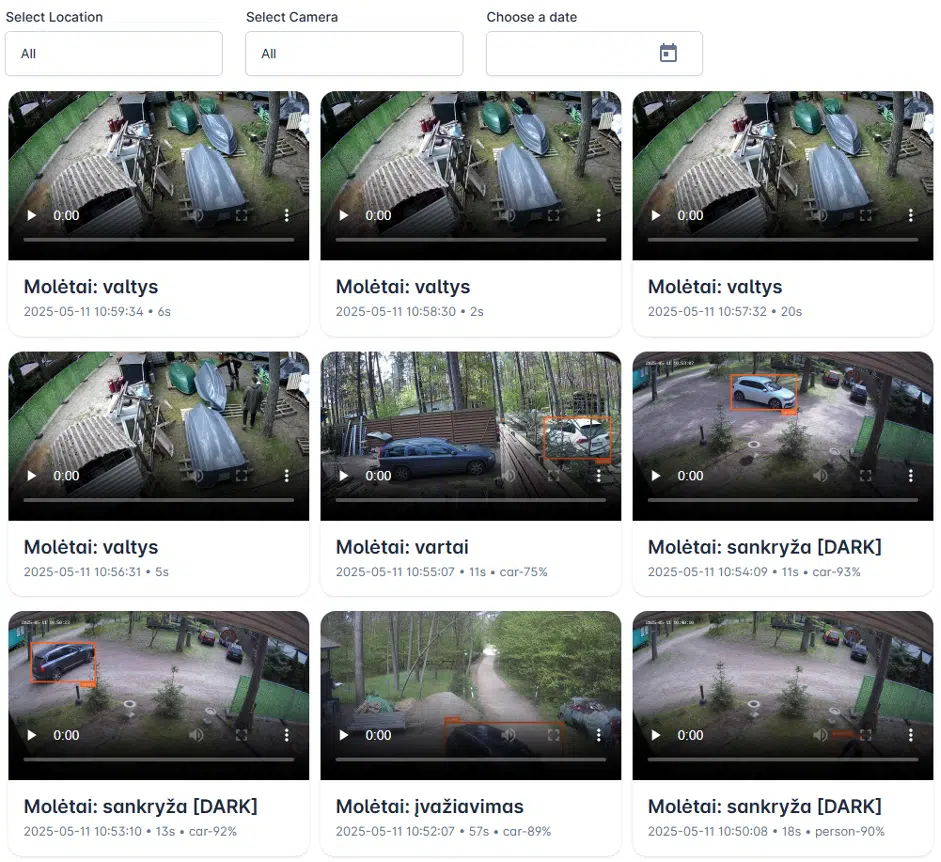
Alerts Filtering and Event Management
Alerts shows motion and event video clips received from cameras or integration software such as Blue Iris.
Available filtering
- Location
- Camera
- Date / time
- Event type, if passed to Camlocus
- AI/object label, if passed to Camlocus
Alert card information
- camera name
- location
- event time
- video clip
- detected object or analytics label, if available
Visible cameras and events depend on your role and permissions.
You will see:
- cameras you created/own
- cameras explicitly shared with you
- alerts and playback for accessible cameras only
You will not see cameras, alerts or playback from other Managers or Admin-owned resources unless
they were explicitly shared with you.